 csvshape
CSV DIAGNOSTIC TOOL
csvshape — column profile for every CSV before you trust it
Paste or upload a file and get, per column, the detected type, how many values are blank, how many do not match the rest, and the rows that disagree with their own column. A CSV that loads is not a CSV that is clean.
Open the profiler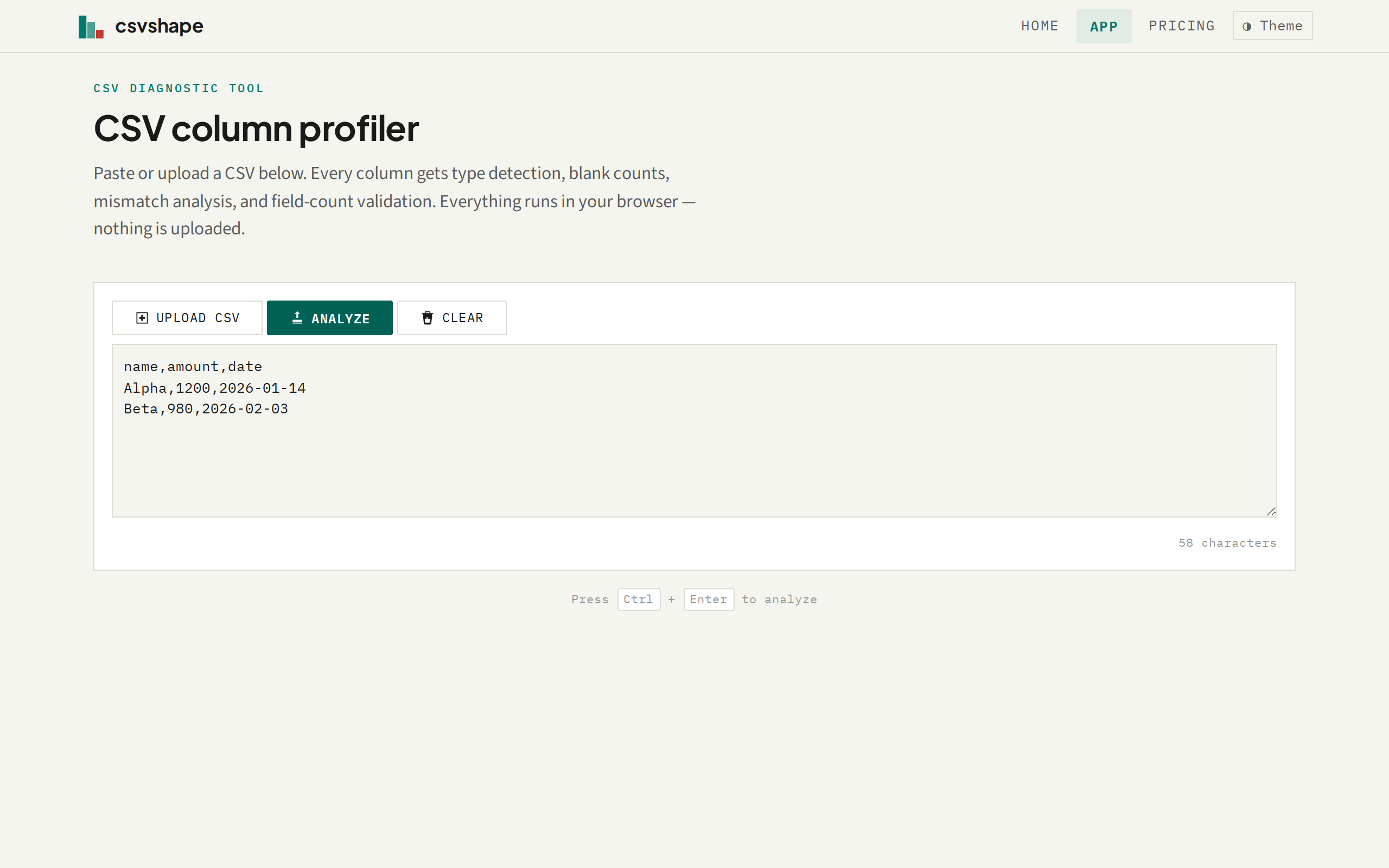
01 / WHAT IT CHECKS
A column can look right and be wrong. Csvshape tells you which one.
Every column in your CSV gets the same diagnostic: what type the values are, which cells do not fit, and how many are missing. The output is a table, not a summary.
Type detection
Each column is classified as integer, number, date, boolean, or string. Mixed-type columns are flagged — a column of numbers with one "N/A" is a finding, not a statistic.
Blank tracking
Count of empty cells per column with the percentage of total values. A column with 20% blanks is a different problem from one with a single missing value, and both are visible at a glance.
Mismatch detection
Values that do not match the dominant type of their column are listed individually with the row number and the type they actually look like. Click a mismatch count to see the rows.
Row field count
Rows with more or fewer fields than the header are collected into a separate section with their full content. An extra comma shifts every cell right — csvshape catches that before anyone opens the file in a spreadsheet.
Delimiter detection
Automatically detects comma, tab, and semicolon delimiters by sampling the header row. No configuration, no options — paste and it works.
Export to CSV
Download the full profile as a CSV file for your records, documentation, or to attach to a QA ticket. One click, no sign-in.
02 / HOW IT WORKS
Paste. Analyze. Read the profile.
-
01
Paste or upload
Paste CSV text directly into the input area, or click to select a file from disk. Files up to approximately 100 MB are supported — the limit is what your browser can hold in memory.
-
02
Analyze
Press Ctrl+Enter or click Analyze. The parser detects the delimiter (comma, tab, semicolon) automatically, identifies the header row, and profiles every column.
-
03
Read the profile
A summary card shows row and column counts. Below it, the column profile table lists each column with detected type, match percentage as a bar, blank count, and mismatch count. Click to expand and see the specific offending values.
-
04
Export or share
Download the profile as a CSV that documents every column's type, match rate, and mismatched values. No account, no sign-in, no data leaves your machine.
03 / WHAT IT COSTS
Free, with one limit you will probably never hit.
The profiler is free and has no account, no sign-in, and no data collection. The only constraint is the browser's own memory limit for large files. Files larger than approximately 100 MB show a clear error message rather than failing silently or being truncated.
04 / WHAT IT WILL NOT DO
This is a diagnostic tool, not a data cleaning service.
- Does not fix or rewrite your file. Csvshape reports what it finds. You decide what to do with the information. No transformation, no correction, no auto-fix.
- Does not connect to a database. CSV files only. No SQL imports, no API connections, no live data sources.
- Does not store anything. The entire analysis runs in your browser. When the tab closes, the profile is gone. Nothing is uploaded to any server.
- Does not handle files larger than browser memory. If the file cannot be held in memory, you will see a clear error stating the size limit — not a truncated result or a silent failure.
- Does not require an account, sign-in, or payment. Open the page and use it. No registration, no API key, no trial period.
- Does not infer values. If a cell is missing, it is reported as missing. Csvshape does not guess, fill, or impute.
05 / WHAT A RESULT LOOKS LIKE
Every column answered in one table.
After analysis, the page shows a summary bar (rows, columns, delimiter, field-count issues) and a profile table. Each row in the table is a column from your CSV. Columns with problems — mismatches, blanks, field-count issues — are visible immediately. Clicking a mismatch count reveals the specific rows and values.
The result is compact enough to read at a glance and detailed enough to hand to someone as documentation.
06 / WHY IT EXISTS
A CSV that loads is not a CSV that is clean.
A date column with four formats, a numeric column with one cell reading "N/A", a row with an extra comma — each of these survives every naive import and then produces a wrong number in something that matters. The problems are all findable up front, and almost nobody looks, because looking is tedious.
Csvshape makes looking instant. One paste, one scan, and you know which columns are clean and which need attention.
I can just open the CSV in a spreadsheet and scroll through it. Why do I need a separate tool?
Check a CSV now — no setup, no sign-up
Paste or upload a file. See what is in every column. Close the tab when you are done.
Open the profiler